The Automation Deadlock: A Framework for Unsticking Cross-System Workflows
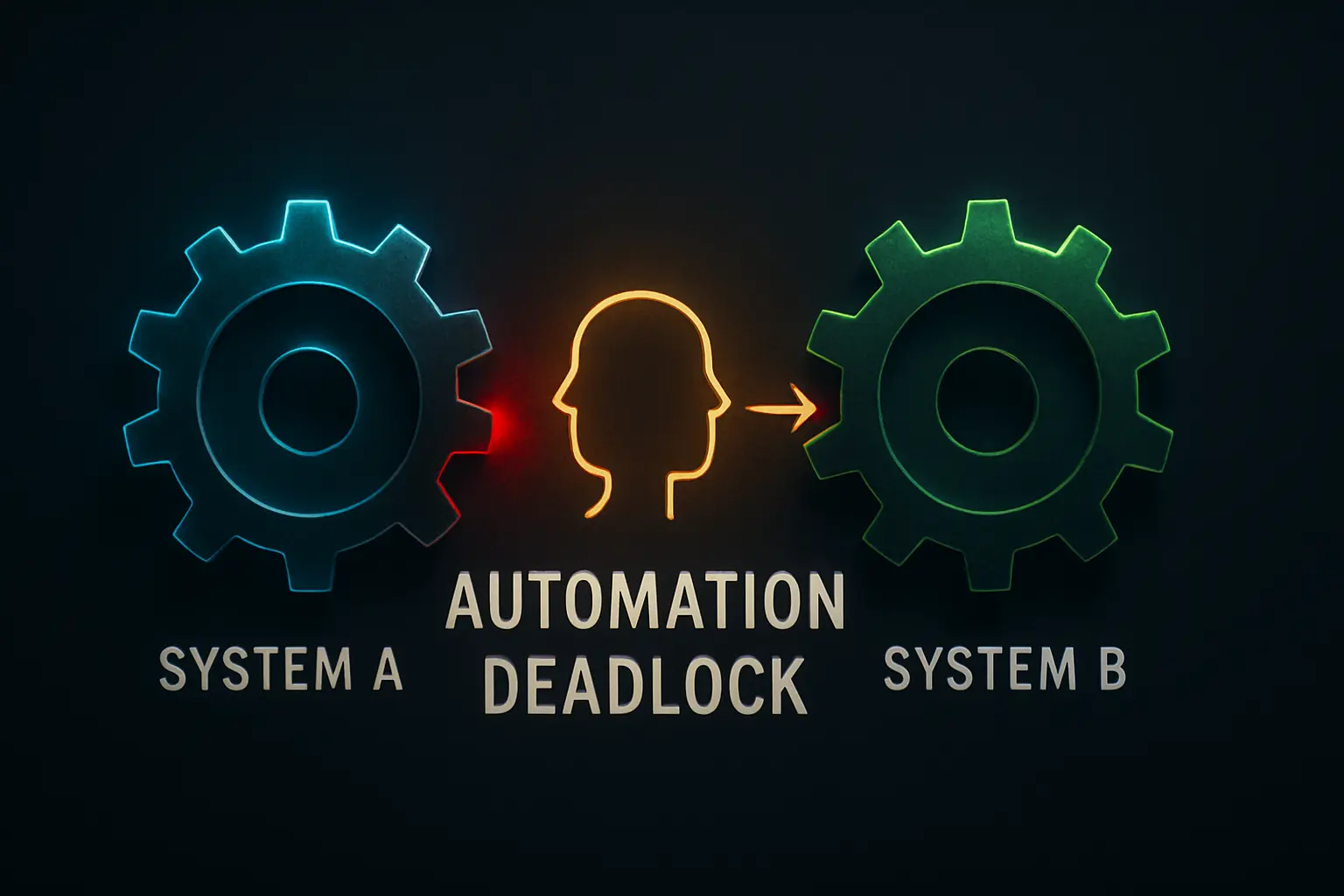
I was looking at a dashboard last week, and I noticed something that always bothers me: a process was stuck. Not because of a technical error or a system crash, but because it had reached a point where it couldn’t move forward without a judgment call. Our marketing automation system had flagged a promising new lead, while our ERP system was waiting to classify them. The systems were in a silent standoff, a digital deadlock, waiting for a human to bridge the gap.
This is a quiet problem that emerges as organizations mature their automation. We build these powerful, independent engines to handle routine tasks, but we often forget to design the intersections where human wisdom is the traffic controller.
The result is a system that’s fast on the straightaways but grinds to a halt at the first complex junction. The more we automate, the more I realize that the most critical points in any process are the ones we deliberately reserve for human intellect.
The Anatomy of a Cross-System Deadlock
The specific deadlock we faced was a common one. Our marketing system (System A) identifies a high-value contact, while our ERP (System B) manages our official client accounts. The critical question was: is this new contact from an existing major client using a different corporate entity, or are they a brand new organization?
An automation can’t easily answer this. It requires nuance—recognizing a subsidiary, understanding a parent company structure, or even just having the real-world context that a person’s location suggests they are part of an existing client’s new regional office. Research from Harvard Business Review has shown that the biggest returns often come from automating processes with ‚clear decision rules,‘ but our most valuable workflows are frequently filled with these exact kinds of ambiguities.
This is where the deadlock occurs. System A is ready to pass the baton, but System B can’t accept it without clear instructions. The process stalls.
[IMAGE 1: A diagram showing System A and System B in a deadlock, waiting for a human decision.]
Initially, our ’solution‘ was an email notification sent to a sales manager. But that’s not a system; it’s an interruption. The email gets buried, the context is lost, and the lead goes cold. We were creating invisible, untracked work that relied entirely on one person’s memory and inbox management.
Why a ‚Pause‘ Isn’t a Real Solution
Simply pausing a workflow and sending an alert is a fragile fix. It creates chaos rather than clarity. The core issues with this approach are:
-
Loss of Context: An email or Slack message is detached from the systems where the work needs to happen. The user has to open multiple tabs, find the records, and piece the story together.
-
No Audit Trail: There’s no record of the decision being made. Why was the contact assigned to a specific account? Who made the call? This lack of governance is a significant risk, a point Gartner emphasizes in its research on AI Trust, Risk, and Security Management (AI TRiSM). A robust system needs accountability.
-
It Doesn’t Scale: What happens when you have 10, 50, or 100 of these decisions to make a day? The notification-based approach collapses into a constant stream of interruptions that destroys focused work.
We weren’t just pausing the automation; we were breaking the process and offloading the entire cognitive burden onto a human in the most inefficient way possible.
Designing the Bridge: The Human Input Queue
The breakthrough came when we stopped trying to make the systems smarter and instead focused on making the human handoff smarter. We needed to build a bridge between the two systems, with a human tollbooth in the middle.
We called it the ‚Human Input Queue.‘
The concept is simple: when an automated workflow requires a judgment call, it doesn’t just stop or send a random alert. Instead, it packages up all the necessary information and creates a standardized ‚task‘ in a central, dedicated queue.
This architectural shift accomplishes three things:
-
It Decouples the Systems: System A doesn’t need to know how to talk to System B. It only needs to know how to create a task in the queue.
-
It Centralizes Human Work: All judgment-based tasks are in one place. A team member can work through them in a focused block of time, rather than being constantly interrupted.
-
It Creates a Standardized Process: Every task in the queue has the same format, containing all the data needed to make a decision quickly.
This gets at the true role of system architecture in modern business. Good architecture isn’t just about efficiency; it’s about creating clarity and flow, especially where machines and people intersect.
[IMAGE 2: A simplified flowchart of the ‚human input queue‘ concept, showing tasks funneling into a central queue for human review and then being dispatched back to the correct system.]
This approach reframes the human from a bottleneck into an integral, efficient part of the automation itself. McKinsey’s research on AI adoption found that high-performing companies are more likely to use AI and automation to augment human capabilities, not just replace them. Our queue is a perfect example of this—it’s a tool built specifically to enhance a person’s decision-making ability at scale.
How It Works in Practice at JvG Labs
To make this concept tangible, we implemented a version of it at JvG Labs using a simple stack: Make.com (formerly Integromat) for the automation logic and a dedicated Trello board as the queue.
Here’s the flow:
-
Our CRM (System A) flags a new lead with an ambiguous company name that partially matches an existing account.
-
This triggers a Make.com scenario that gathers the lead’s name, email, company, and direct links to both the new contact record and the potential matching account.
-
The scenario then creates a new card in our ‚Decision Queue‘ Trello board. The card title is the decision required (e.g., ‚Merge or Create New: [Company Name]‘), and the description contains all the prepared data.
-
Our operations manager reviews this Trello board once in the morning and once in the afternoon, seeing all pending decisions at a glance.
-
They drag the Trello card to one of two columns to signal their choice: ‚Process as New Account‘ or ‚Merge with Existing.‘
-
This action in Trello triggers a second Make.com scenario, which executes the decision—either creating a new account in our ERP (System B) or merging the contact information—and then archives the Trello card.
[IMAGE 3: A screenshot or mock-up of a real-world task queue interface (e.g., in a tool like Trello, Asana, or a custom dashboard).]
This entire process models the ‚human-machine partnership‘ that Forrester describes as the future of work. The machines handle the data gathering and execution. The human provides the critical judgment. The queue is the elegant, structured interface that facilitates their collaboration.
FAQs: Understanding the Human Input Queue
Isn’t this just a fancy to-do list?
In a way, yes. But its power is architectural, not just functional. A standard to-do list is for one person’s tasks; a Human Input Queue is a systemic component—a standardized input/output channel for human judgment that lets you decouple complex systems and make your overall process more resilient.
What tools do you need to build this?
You can start very simply. The logic is more important than the software. Any workflow automation tool (like Zapier or Make.com) combined with a task management tool (like Trello, Asana, or Airtable) can work. The goal is to create a central, trackable location for these decision tasks.
How do you decide what needs a human review?
Look for the places where your current processes break down or require manual follow-up. Where do people say, ‚I have to check that by hand‘? These are prime candidates. Start with decisions that require external context, subjective evaluation, or high-stakes validation that you don’t want to leave entirely to a machine.
Doesn’t this slow down automation?
It trades the illusion of instantaneous (but often broken) processing for reliable, batched processing. It might take a few hours for a human to clear the queue, but this prevents days of delay caused by an error or a missed email. It speeds up the end-to-end workflow by eliminating exceptions and rework.
The Real Lesson: Embrace the Human-in-the-Loop
For me, the key takeaway from building this system was a shift in perspective. The objective of automation isn’t to create a 100% ‚lights-out‘ process where humans never touch anything. The true goal is designing intelligent workflows that operate autonomously until they reach a point where they know they need help.
Building a Human Input Queue is an explicit acknowledgment that human expertise is not a bug in the system to be eliminated, but a strategic feature to be leveraged. By creating a dedicated, efficient interface for that expertise, you turn a potential bottleneck into a powerful asset.
I encourage you to look for these deadlocks in your own business processes. Where are your systems waiting on a person? That intersection is an opportunity to build a bridge, not just a pause button. To see more of our solutions in action, explore the practical automation experiments we document in the labs section.